Good writing comes from clear thinking, but the right tools take away a lot of friction: catching typos, keeping track of word limits, organising notes and sources, and helping you find a tighter way to say something. This guide covers the main types of writing tools for students and professionals, what each one is good at, and how to build a simple setup that helps without taking over your voice.
The four types of writing tools
| Type | What it does | Examples |
|---|---|---|
| Word processors | Writing, formatting, comments and track changes | Microsoft Word, Google Docs, Apple Pages |
| Grammar and style checkers | Spelling, grammar, punctuation, clarity suggestions | Grammarly, LanguageTool, built-in editors in Word and Docs |
| Note-taking and planning apps | Collecting ideas, outlines and research notes | Notion, OneNote, Obsidian, Apple Notes, Google Keep |
| Reference managers | Saving sources and formatting citations automatically | Zotero, Mendeley, EndNote |
Most people need one tool from each of the first three groups. Students writing research papers should add a reference manager.
Grammar checkers: what to look for
- Language support. If you write in more than one language, check which ones are supported. LanguageTool supports many languages, and Microsoft Word and Google Docs include spelling checks for a wide range of languages, including Arabic.
- Where it works. The best checker is the one that works where you write: browser, Word, Google Docs, email and phone keyboard.
- Explanations. Good tools explain why something is flagged, which helps you learn rather than just click “accept”.
- Tone and clarity suggestions. Helpful for emails and reports, but you can ignore them in creative writing.
- Privacy. Checkers read everything you type. For confidential documents, check the provider’s data policy or use an offline option.
- Free vs premium. Free versions usually fix spelling and grammar. Premium versions add style, tone and full-sentence rewrites.
Using AI writing assistants responsibly
AI assistants can suggest outlines, explain feedback, summarise sources and propose alternative phrasing. They can also make confident mistakes and produce generic text. Use them to support your thinking, not replace it.
- Always check facts, numbers and references against the original sources.
- Follow your university’s or employer’s policy on AI use. Many require you to disclose it.
- Write your own first draft. Editing your ideas keeps your voice; generating the whole text removes it.
Hitting word limits without padding
Many assignments, applications and speeches have strict limits. A word counter shows words, characters, sentences and reading time as you write. Some useful benchmarks:
| Text | Typical length |
|---|---|
| Short answer or abstract | 150 to 300 words |
| University application essay | 500 to 650 words |
| Standard essay | 1,500 to 2,500 words |
| 5-minute speech | About 650 to 750 words |
If you are over the limit, cut repeated points, filler phrases (“in order to”, “it is important to note that”) and long introductions before you cut ideas. If you are under, add an example or a counter-argument rather than stretching sentences.
A simple setup that works
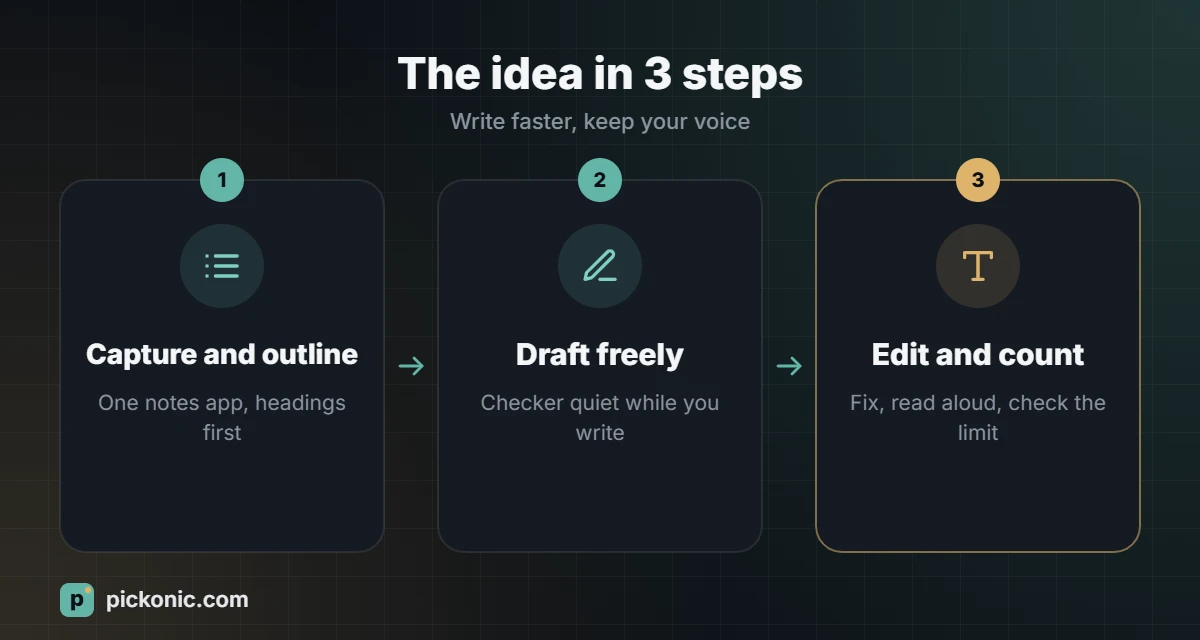
- Capture: keep one notes app for ideas, quotes and links. One place, not five.
- Outline: write headings and one sentence per paragraph before drafting.
- Draft: write in your word processor with the grammar checker switched off or quiet, so you keep moving.
- Edit: turn the checker on, fix errors, then read the text aloud. Your ear catches awkward sentences that software misses.
- Check length and citations: use a word counter for limits and your reference manager for the bibliography.
Hardware that helps
- A good keyboard. If you write for hours, a comfortable external keyboard reduces fatigue.
- A second screen. Sources on one screen, writing on the other saves constant switching.
- Noise-cancelling headphones for focus in shared spaces.
Better writing habits tend to show up in your grades. If you are wondering where your average stands, see what counts as a good GPA.
Frequently asked questions
Are free grammar checkers good enough?
For spelling and basic grammar, yes. Premium versions are worth it mainly if you write a lot in a second language or need help with tone in professional writing.
Do grammar checkers work for Arabic?
Support is improving but still more limited than for English. Word processors provide Arabic spelling checks, and some tools offer Arabic grammar suggestions. Always proofread Arabic texts yourself, especially for grammar and diacritics.
Does a word counter count numbers and hyphenated words?
Most count numbers as words and treat hyphenated words as one. Different tools vary slightly, so use the same one your teacher or platform uses when the limit is strict.