If you want to read more but find that screens tire your eyes or pull you into notifications, an e-reader might be the most useful gadget you buy this year. Unlike a tablet, an e-reader does one thing: it shows text on a paper-like screen that is comfortable for hours and readable in bright sun. This guide explains what to compare, which ecosystem to choose, and how to work out whether an e-reader will actually save you money and time.
E-reader vs tablet vs phone
| E-reader | Tablet | Phone | |
|---|---|---|---|
| Screen | E-ink, no glare, readable in sunlight | Bright LCD/OLED, glare outdoors | Small, bright |
| Eye comfort for long reading | Very good | Fair | Fair to poor |
| Battery | Weeks | About a day of use | About a day of use |
| Distractions | Almost none | Many | Many |
| Comics, colour magazines, PDFs | Limited (better on large or colour models) | Very good | Poor |
If you mostly read novels, non-fiction and long articles, an e-reader is the better tool. If you read magazines, textbooks with diagrams or comics, a tablet still has the advantage.
Choose the ecosystem first
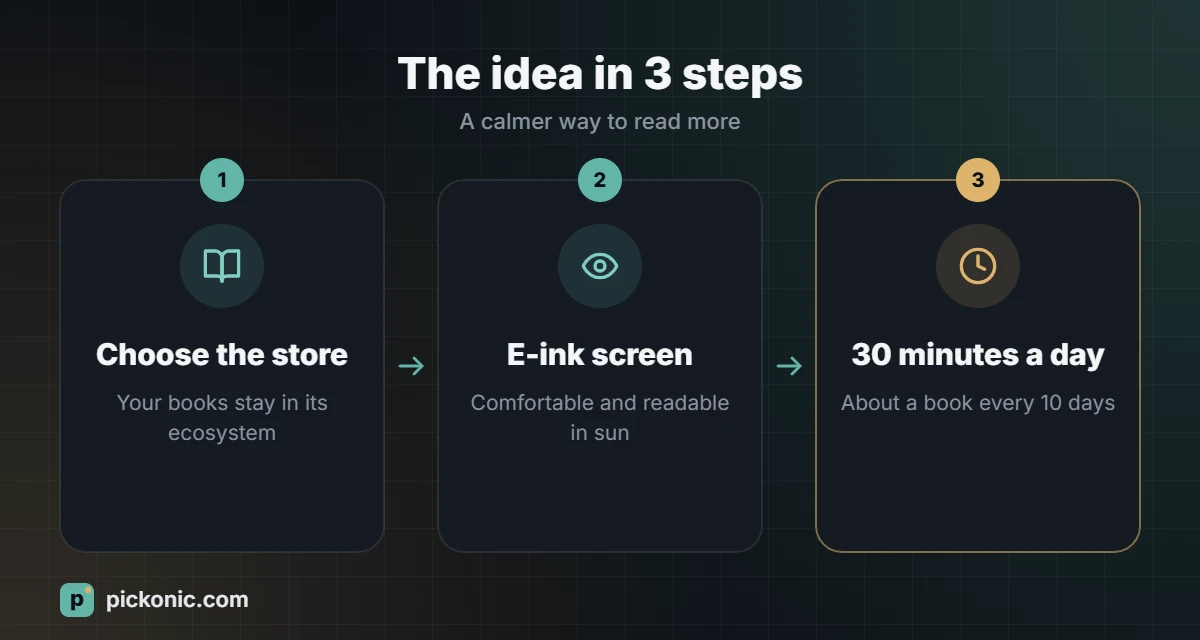
Where you buy your books matters more than the device itself, because books bought in one store usually cannot be read on another brand’s e-reader.
- Amazon Kindle: the largest store and many models. Kindle Unlimited is a paid subscription with a large catalogue. Kindle devices work mainly with Amazon’s own book formats, though you can send EPUB files and documents to your Kindle through Amazon’s services.
- Kobo: reads EPUB natively, supports borrowing from public libraries in some countries, and has its own store and subscription.
- Others (PocketBook, Onyx Boox and similar): support many formats; some Boox models run Android apps, giving access to several stores on one device.
Arabic readers: check support for Arabic books before buying, including right-to-left page turning and correct display of Arabic text. Availability of Arabic titles also differs a lot between stores, so browse the store for books you want before you pick a device.
Features to compare
- Screen size: 6 inches is pocketable; 7 inches is more comfortable; 8 inches and above suit PDFs and note-taking.
- Resolution: around 300 pixels per inch gives sharp, print-like text.
- Front light with warm tone: lets you read in the dark and shift to an amber colour at night.
- Physical page-turn buttons: nice for one-handed reading.
- Waterproofing: useful for reading at the beach, pool or bath.
- Storage: 8 to 16 GB holds thousands of books; audiobooks need more.
- Audiobook support via Bluetooth headphones on some models.
- Note-taking with a stylus on larger models, useful for students and professionals who annotate.
- Colour E-ink: good for book covers, comics and highlights, but colours are muted compared with a tablet.
- Ads: some models are sold cheaper with lock-screen ads. Check which version you are buying.
Is it worth it? Do the maths
An e-reader pays for itself if you read regularly. Suppose ebooks cost you a little less than printed books on average, and you read two books a month. The savings from ebooks alone can cover a basic device in a year or two, and subscriptions or library borrowing can make it faster. Use a percentage calculator to compare: if a printed book costs 60 and the ebook costs 42, you save 30% per book.
The bigger benefit is often time. If you read 30 minutes a day at an average speed of about 250 words a minute, that is roughly 7,500 words a day, or a typical 70,000-word book in about ten days. Our word counter shows reading time for any text you paste in.
Which e-reader suits you?
| Reader type | Look for |
|---|---|
| Occasional reader, tight budget | Entry-level 6-inch model with a front light |
| Daily reader | High-resolution screen, warm light, waterproofing |
| Student or professional who reads PDFs | Large 8 to 10 inch screen with stylus support |
| Wants several stores and apps | An Android-based E-ink device |
| Library borrower | A device that supports library lending in your country |
Tips to read more with your e-reader
- Keep it where you usually reach for your phone: on the nightstand or in your bag.
- Use the warm light and a slightly larger font at night to reduce eye strain.
- Download samples before buying books; finish only the ones you enjoy.
- Highlight and export notes to review key ideas from non-fiction.
Frequently asked questions
Are e-readers better for your eyes?
E-ink screens do not flicker and reflect light like paper, which many people find more comfortable for long reading. Good lighting, breaks and font size still matter.
Can I read my own PDF and Word files?
Most e-readers can open PDFs, but small screens make them hard to read. Larger devices or converting the file to an e-book format gives better results.
Do I lose my books if I switch brands?
Usually you keep access to them in the original store’s app on your phone or tablet, but you cannot move them to another brand’s device. That is why choosing the ecosystem first matters.