
Most people who download a budgeting app stop using it within a few weeks. The usual reason has nothing to do with the app. They picked a tool before they picked a method, so the app keeps asking questions they never answered: how much is “enough” for groceries, and what happens to the money left over at the end of the month? This guide starts with the method, then shows you what to look for in an app so you choose one you will still open in six months.
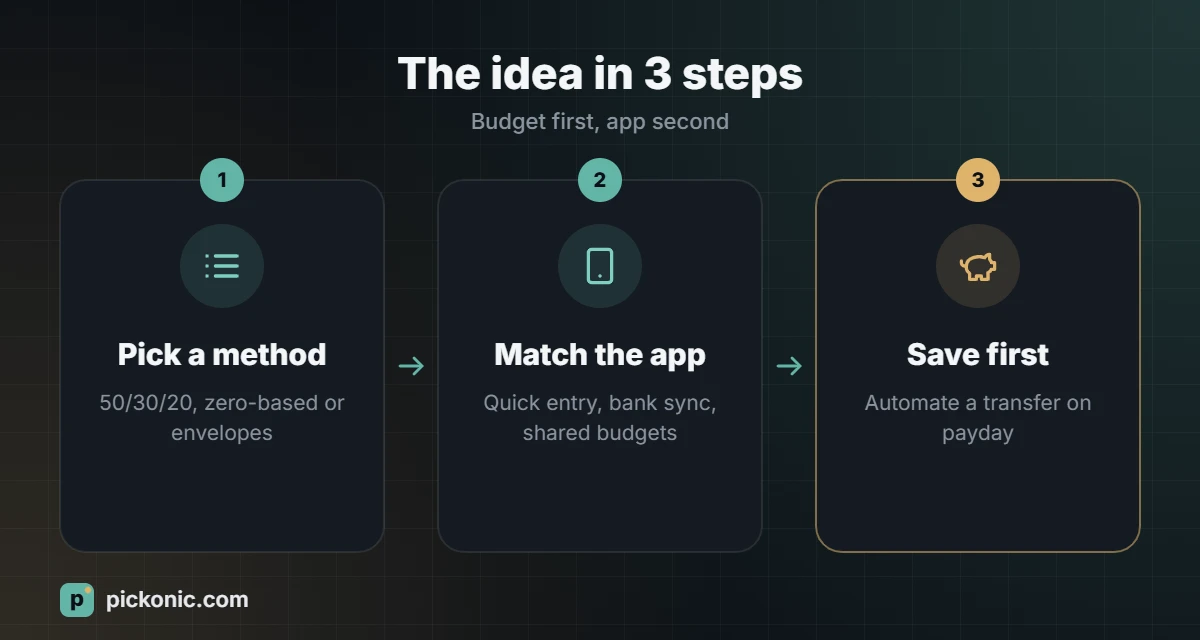
Step one: choose a budgeting method
An app is only a container. The method is the set of rules you follow every month. Three methods cover almost everyone.
The 50/30/20 rule
Split your take-home pay into three buckets: 50% for needs (rent, utilities, transport, basic food), 30% for wants (eating out, subscriptions, travel) and 20% for savings and extra debt payments. On a take-home salary of 12,000, that is 6,000 for needs, 3,600 for wants and 2,400 for savings. It is quick to set up and forgiving, which makes it a good first budget. In cities where rent alone takes 40% of income, you may need to adjust the split to something like 60/20/20, and that is fine. The point is that savings get a fixed share before the month starts.
Zero-based budgeting
Every unit of income gets a job until the amount left to assign is zero. If 300 is left after bills and planned spending, you decide now whether it goes to the emergency fund, a holiday or an extra loan payment. This method takes more effort, but it is the one most likely to change your habits, because nothing is left floating in your account waiting to be spent.
The envelope (or pocket) method
Originally done with cash in paper envelopes, it now works with separate sub-accounts or “pots” that many banks offer. Groceries get one pot, fuel another, fun money another. When a pot is empty, spending in that category stops until next month. It works well for people who overspend on card payments because they cannot “see” money leaving.
What a good budgeting app should do
Once you know your method, use this checklist to compare apps. You do not need every feature, but the first four matter for almost everyone.
- Supports your method. Some apps are built around zero-based budgeting, others around simple spending categories. Make sure the app’s logic matches the rules you chose, or you will fight it every month.
- Quick entry. If adding a transaction takes more than a few seconds, you will stop doing it. Look for home-screen widgets, receipt scanning or automatic import.
- Bank connection or easy import. Automatic bank sync saves time, but coverage varies by country and bank. If your bank is not supported, check that the app can import CSV files or that manual entry is fast.
- Your currency and date format. It sounds minor, but an app that cannot show your local currency correctly will make every report harder to read.
- Recurring bills and reminders. Rent, school fees, insurance and subscriptions should be entered once and repeat automatically.
- Clear reports. A monthly view of where money went, compared with the plan, is the whole point of the exercise.
- Shared budgets. If you manage money with a spouse or family, check whether two people can use the same budget without sharing one login.
- Privacy and security. Read what data is collected and whether it is sold or shared. Prefer apps that support two-factor authentication.
Types of budgeting tools compared
| Tool type | Best for | Main trade-off |
|---|---|---|
| Spreadsheet (Excel, Google Sheets) | People who like control and want zero cost | Everything is manual unless you build formulas |
| Your bank’s built-in insights | A first look at where money goes | Only sees one bank; limited planning tools |
| Free budgeting apps | Simple category tracking | Often ad-supported or with limited features |
| Paid budgeting apps | Zero-based budgeting, shared family budgets, bank sync | A monthly or yearly subscription |
| Envelope or pot accounts at a bank | Hard limits per category | Moving money between pots takes discipline |
Free or paid: how to decide
A paid app is worth it only if it saves you more than it costs. A simple test: if the subscription costs 1% of what you hope to save each year, and the app’s features (bank sync, shared access, goal tracking) are what will actually keep you consistent, it pays for itself. If you are disciplined and enjoy spreadsheets, a free template can do the same job. Many paid apps offer a free trial, so use the trial to run one full month with your chosen method before committing.
Set it up in one evening
- Write down your take-home pay for the month, after deductions.
- List fixed bills: rent, utilities, phone, transport, school fees, loan payments.
- Look at the last two or three months of bank statements and estimate variable spending (groceries, fuel, eating out).
- Choose your method and create the categories in the app.
- Set a savings amount first, even if it is small, and schedule an automatic transfer on payday.
- Book a 15-minute “money check” each week to review and adjust.
Use a percentage calculator to turn your rules into real numbers. For example, 20% of 9,500 is 1,900; that is your monthly savings target under the 50/30/20 rule.
Common mistakes that make budgets fail
- Too many categories. Start with eight to twelve. You can split them later.
- Forgetting irregular costs. Annual insurance, car registration, school uniforms and gifts during Eid or holidays all arrive eventually. Divide the yearly total by 12 and save it monthly.
- Budgeting with gross salary. Always work with what actually lands in your account.
- Quitting after one bad month. Overspending one category is information, not failure. Adjust the plan and continue.
- No buffer. Leave a small “miscellaneous” line of 3% to 5% so surprises do not break the whole plan.
If most of your spending goes through a card, choosing between cashback and travel rewards can put some of it back in your pocket.
Frequently asked questions
Is it safe to connect my bank account to an app?
Reputable apps use read-only connections through regulated providers, but you are still sharing transaction data. Check the app’s privacy policy, enable two-factor authentication and, if you are uncomfortable, use manual entry or CSV import instead.
How long until a budget starts to work?
Expect the first month to be messy and the second to be more accurate. By the third month, most people have realistic numbers for each category.
Should couples use one budget or two?
Many couples use one shared budget for household costs and a small personal allowance for each person. Choose an app that supports shared access if you go this way.
What if my income changes every month?
Budget using your lowest typical month. When you earn more, send the extra straight to savings or debt rather than raising your spending.