
You have filled in the whole application, attached the last document, and pressed submit. The portal answers with “File too large. Maximum size 5 MB.” Your PDF is 18 MB. It is late, the deadline is tomorrow, and shrinking a file sounds like a job for someone who knows what they are doing.
It is not that hard. A PDF is usually big for one reason, and once you know which one, the fix takes a couple of minutes. This article explains what makes a PDF heavy, how to shrink it on a phone, a Mac or Windows, and how to avoid ruining the document while you do it.
Why your PDF is so big
Text is tiny. A page of typed text costs a few kilobytes. What makes a PDF weigh tens of megabytes is almost always images: photos of documents, scans, screenshots, logos pasted at full camera resolution. A 20-page report made in Word with two small charts might be 300 KB. The same 20 pages photographed with a phone and merged into a PDF can reach 30 MB. You can see this for yourself by running a phone-scanned file through the PDF compressor and comparing the size before and after.
Here is a simple worked example. Say you scanned 12 pages and each page came out at about 1.5 MB. That is roughly 18 MB in total (an illustrative figure, your scanner will differ). To pass a 5 MB limit you need to cut the file to about 28% of its size, a reduction of roughly 3.6 times. That sounds like a lot, but scans are the easiest files to shrink, because they are usually saved at a much higher resolution than a screen or a recruiter ever needs.
Check the limit and the rules before you compress
Do this first, because it decides how hard you need to squeeze.
- Find the exact limit, and whether it applies to each file or to everything combined. Many portals say “5 MB per file”, some say “10 MB in total”.
- Check whether the portal allows several files. If it does, splitting a 12-page file into two 6-page files may be easier than heavy compression.
- Check what is actually required. Some forms want one PDF, others accept JPG or PNG, and a few ask for a minimum resolution so the text stays legible.
- If the file goes by email, remember that the total of all attachments counts. Google’s Gmail help page sets the limit at 25 MB per message, and larger files are sent as a Drive link instead.
We could not find a published, universal upload limit for the big government and university portals in the UAE or Saudi Arabia, and limits change between services and over time. Treat the number printed on the upload page as the only one that counts.
Method 1: a browser tool that works on your device
For most people this is the quickest route, especially on a phone. The point of using a tool that processes the file on your own device is privacy. A PDF that contains a passport, a contract or a bank statement should not travel to a server you know nothing about.
Our Compress PDF tool runs in your browser and offers three levels. Light keeps images at about 150 dpi, Recommended uses about 110 dpi, and Strong goes down to about 80 dpi. By default it only recompresses the images inside the file and leaves text, links and vector graphics alone, so you can still select and search the text afterwards. There is also a maximum mode that redraws each page as a compressed image. It gives the smallest result for scans, but the text is no longer selectable, which is fine for an ID card and not fine for a CV the employer’s system needs to read.
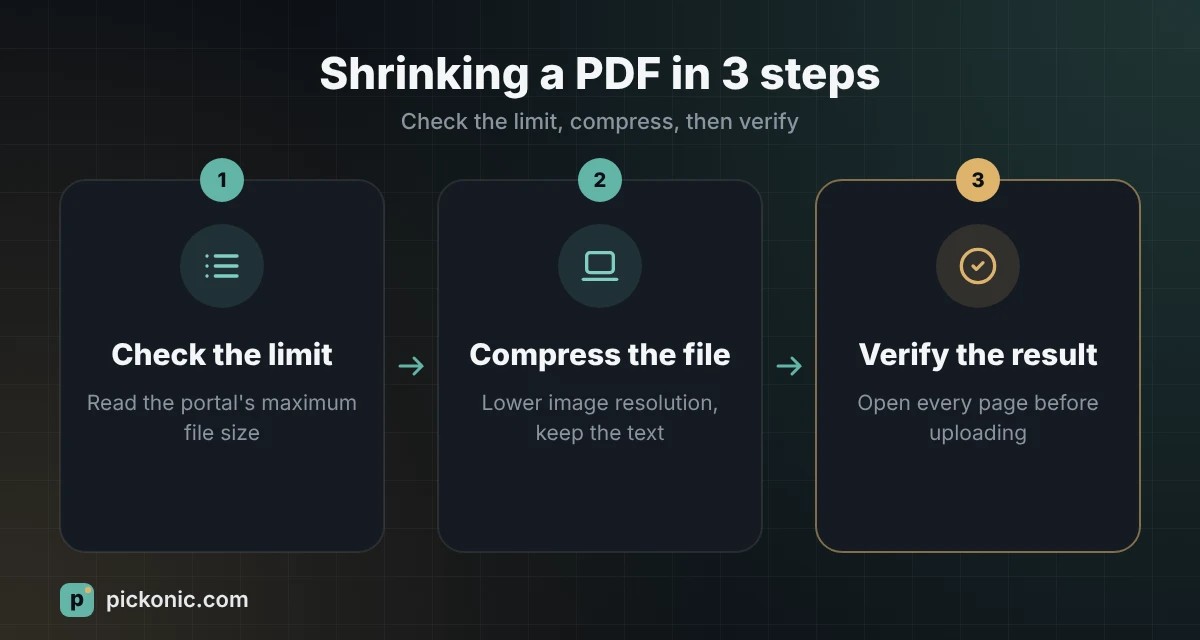
Start with Recommended. Only move to Strong if the file is still over the limit.
Method 2: the tools already on your computer
If you do not want to use a website, your computer can do it.
Mac: Preview
Open the PDF in Preview, choose File, then Export, pick “Reduce File Size” from the Quartz Filter menu and save under a new name. Apple’s Preview guide describes the steps and warns that quality can drop. Results vary: this filter can be aggressive on photos and do very little on text-heavy files, so check the output before you rely on it.
Windows or Mac: Adobe Acrobat
If you have the paid Acrobat, use Save as Other, then Optimized PDF, and choose the Standard setting. Adobe’s help article explains the image and font panels if you want finer control. One caveat: shrinking a digitally signed PDF removes the signature, so do not compress a document that was signed electronically.
Word: export smaller from the start
If the PDF comes from a Word file, you can avoid the problem at the source. In Save As on Windows, choose PDF and set “Optimize for” to “Minimum size (publishing online)”, as this university help page shows. It lowers image resolution, so check the pictures afterwards.
Which method fits which situation
| Your file | Likely cause of the size | What to try first |
|---|---|---|
| Phone photos merged into a PDF | Full-resolution camera images | Build it with the JPG to PDF tool, then compress at Recommended |
| Scan from an office scanner | 300 dpi or higher, colour pages | Compress at Recommended; rescan in black and white if text only |
| Word or Google Docs export | Large pasted pictures | Resize the pictures, then export with minimum size |
| Signed or password-protected PDF | Depends | Do not compress; ask the sender for a lighter copy |
| Over the limit even after compression | Too many pages | Split into two files if the portal allows it |
Fixing the file at the source
If you can still change how the PDF is made, that beats compressing it afterwards. Scan pages in black and white or grayscale when colour does not matter, at 150 to 200 dpi rather than 300 or 600. Halving the resolution means four times fewer pixels, which is why the saving is so large. For documents you photograph, our guide on turning photos into a PDF on iPhone and Android covers how to take clean shots that compress well.
Remove pages you do not need. Many people attach a full 40-page contract when the portal only asks for the first and last page.
Mistakes that cost people their upload
- Compressing the only copy. Always keep the original and save the small one under a new name.
- Over-compressing an ID. A passport page that is blurry can be rejected as unreadable, which costs you more time than a slightly bigger file.
- Not opening the result. Zoom in on stamps, signatures and small print on every page before you upload.
- Using a site that asks you to register for a free file. A compression job does not need your account.
- Expecting miracles from a file that is already small. A text PDF created on a computer is usually compact. If the tool says the result would be bigger, believe it and keep the original.
When this does not apply
Some services need the original file for legal reasons, such as certified translations, notarised copies or documents with a digital signature. In those cases compressing may break the signature or breach the rules, so ask the issuing office for a lighter official copy instead of shrinking it yourself.
This is general information about file handling. For legal or immigration documents, follow the exact instructions of the authority that asked for them.
Frequently asked questions
Will compressing a PDF make the text unreadable?
Not if you choose carefully. In the default mode only the images are recompressed, and the text stays sharp and selectable. Very strong settings can blur small print, so check the result at full zoom.
Is it safe to compress a PDF with my ID inside?
It is safer with a tool that processes the file on your device, as ours does, or with software on your own computer. Avoid services that upload your file and keep it.
Why did my PDF get bigger after compression?
The file was probably already compact, usually because it was created digitally rather than scanned. Keep the original in that case.
How small can I realistically make a scanned PDF?
Often less than half the original size, and sometimes much smaller, but it depends on the number of pages and the scan quality. There is no fixed figure that works for every file.
Can I compress a PDF on my phone?
Yes. A browser tool works on both iPhone and Android with no app to install. Pick the file, choose a level, and download the new copy.